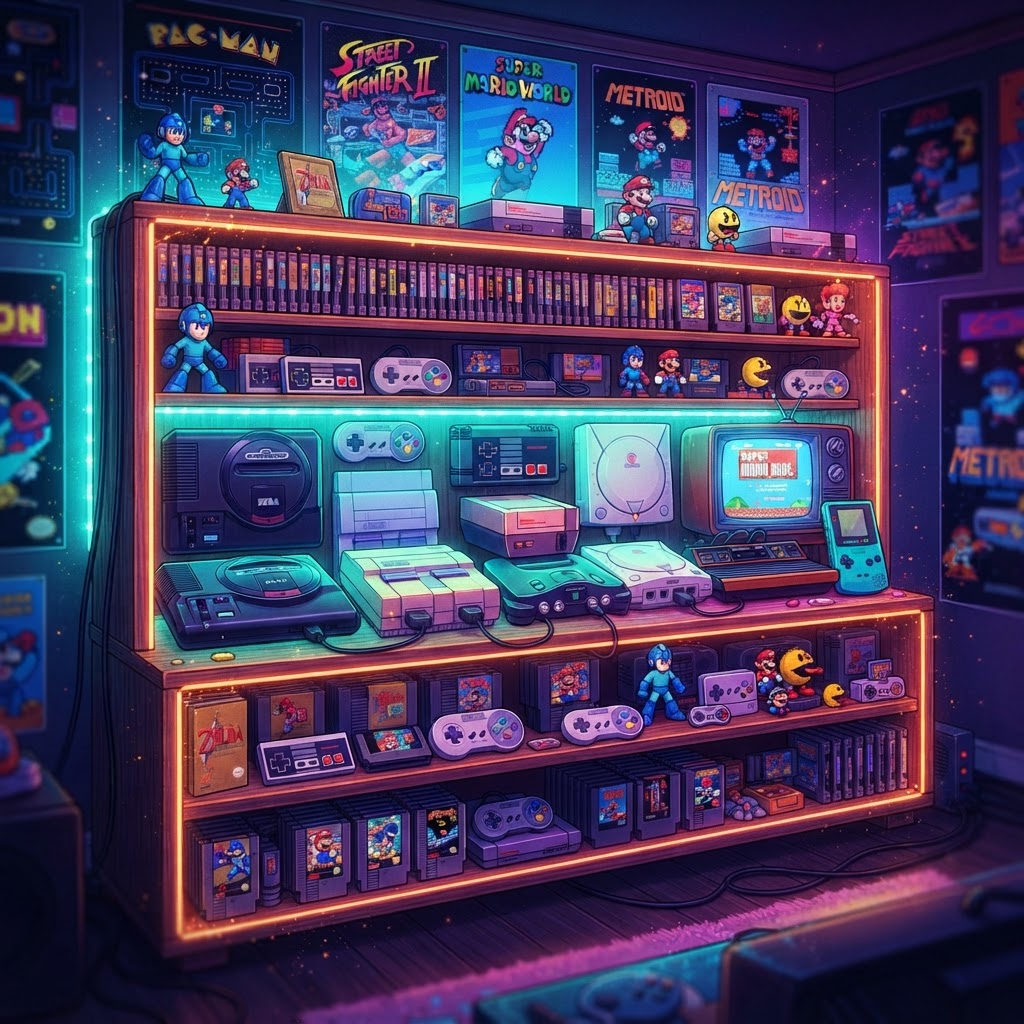
Why a Display Shelf Is the First Thing Every New Retro Collector Needs
You've caught the bug. Maybe it started with a childhood memory, a YouTube rabbit hole about 16-bit soundtracks, or a dusty console spotted at a garage sale. Whatever the spark, you now have retro hardware sitting on your floor — and it deserves better.
A well-built retro gaming display shelf does three things at once: it protects your investment, shows off your collection, and keeps everything playable. This isn't just interior decoration. It's a functional command center for your hobby.
The good news for beginners? You don't need carpentry skills, a big budget, or a dedicated game room. You need a plan, the right products, and a little enthusiasm. Let's build this thing.
Step 1: Plan Your Space Before You Buy a Single Shelf
The single biggest beginner mistake is buying shelving before measuring. Retro consoles are bulky — an original NES with a top-loader is deeper than most modern streaming boxes. Cartridge-based games also stack differently than disc-based ones.
What to Measure
- Wall space width and height — How many linear feet do you have?
- Console footprint — Measure each console's depth, width, and height. Add 3–4 inches of vertical clearance so controllers and cables don't get crushed.
- Cable reach — Your TV or monitor needs to be within cable range of every console you plan to keep active.
Zoning Your Shelf
Think in zones rather than random placement:
- Active Zone — Consoles you play regularly, at eye level or just below. Keep these connected and accessible.
- Display Zone — Rarer or more visually striking hardware that you want guests to notice.
- Cartridge/Game Zone — Spines facing out like books, grouped by system or era.
Step 2: Choose the Right Shelving Unit
For retro gaming, you want shelves that are at least 12 inches deep (most consoles need it), rated for at least 30 lbs per shelf, and ideally adjustable so you can reconfigure as your collection grows.
Popular beginner-friendly options include:
- KALLAX (IKEA) — The community favorite. The square cubbies are almost perfectly sized for consoles and small cartridge collections.
- Metal wire shelving — Excellent ventilation (important for older electronics), easy to reconfigure, and very affordable.
- Floating wall shelves — Great for a clean, gallery-style look if you have a smaller collection.
Whatever you choose, bolt tall units to the wall. Falling shelves are dangerous and devastating to retro hardware.
Step 3: Set Up Your Consoles the Right Way
Once your shelving is in place, it's time to get your consoles connected and operational. For beginners, this is where things can feel intimidating — but it doesn't have to be.
Handling Old Hardware Safely
Old cartridge-based consoles are sensitive to static electricity. Before cleaning contacts or swapping cartridges, grab an Anti-Static Wrist Strap. This inexpensive tool grounds you and prevents static discharge from quietly frying circuit boards. It's a $10 insurance policy on hardware that can cost hundreds to replace.
Connecting to a Modern TV
Here's a challenge every new retro collector faces: older consoles output signals that modern TVs struggle with. A Nintendo 64 or Super Nintendo, for example, outputs S-Video or composite — not HDMI. The picture on a modern TV can look blurry or unstable.
The fix is simple: pick up an S-Video to HDMI Adapter. These compact converters sit between your console and your TV, upscaling the signal to a clean 1080p HDMI output. For beginners, this is the single biggest quality-of-life upgrade you can make.
Controllers: Wired vs. Wireless
Original controllers are great for authenticity, but wiring across a shelf setup gets messy fast. For consoles where you want a cleaner look, a Wireless Retro Bluetooth Controller solves the cable chaos without sacrificing the classic button layout. These pair with most retro systems (and modern PCs) and keep your shelf looking tidy.
If you're specifically playing NES or NES Classic games, an NES Mini Classic Controller is an affordable, authentic-feeling option that newer players often prefer over the stiff original d-pad.
Step 4: Organize Your Game Library
Loose cartridges piled in a shoebox is the natural state of most beginner collections. Here's how to level up:
Cartridge Display Options
- Spine-out on shelves — Treat them like books. Most cartridges have printed labels on the spine. Group by system: all NES together, all SNES together, etc.
- Clear acrylic cartridge stands — Show the label art face-forward. Ideal for a small, curated "favorites" display.
- Vertical wall-mounted holders — A space-efficient option for large libraries.
Cross-System Play
If you're collecting across multiple generations, a Universal Game Cartridge Adapter can be a practical addition — useful for playing cartridges from different regions or on different compatible hardware without needing a separate console for every format.
Step 5: Make It Look Amazing
Functionality is only half the battle. A great retro gaming shelf should make you smile every time you walk into the room.
Lighting
LED strip lighting behind or underneath shelves is the single highest-impact visual upgrade. Warm amber tones complement older hardware beautifully; RGB strips let you color-match to specific eras (classic Nintendo green, Sega blue, etc.). Look for LED strips with adhesive backing that mount under each shelf edge.
Wall Décor
Frame the whole setup with Retro Gaming Wall Decals. These peel-and-stick designs — pixel art characters, classic sprites, console logos — transform a plain wall into a genuine shrine without damaging paint. They're perfect for renters or anyone who wants to redecorate without commitment.
The Finishing Touch
No retro gaming setup is complete without a proper vibe for gaming sessions. Keep a Retro Gaming Mug on your desk nearby — it's a small detail, but creating a whole ritual around your setup makes the hobby more enjoyable and sustainable.
Bonus: Future-Proofing Your Display Shelf
As your collection grows, you'll want hardware that stays relevant. The Analogue 3D FPGA Console is one of the most talked-about pieces of modern retro hardware available. FPGA technology accurately replicates original hardware at a circuit level — meaning authentic gameplay without the aging reliability issues of 30-year-old electronics. It's a premium investment, but for serious collectors, it earns a centerpiece spot on any display shelf.
You're Ready to Build
Building the ultimate retro gaming display shelf doesn't require expertise — it requires a plan. Measure your space, choose deep and sturdy shelving, protect your hardware with an Anti-Static Wrist Strap, solve your video output problems with the right adapters, and then make it beautiful with lighting and wall décor.
Start small, stay organized, and let the collection grow naturally. The best retro shelf isn't the most expensive one — it's the one you actually enjoy every day.



