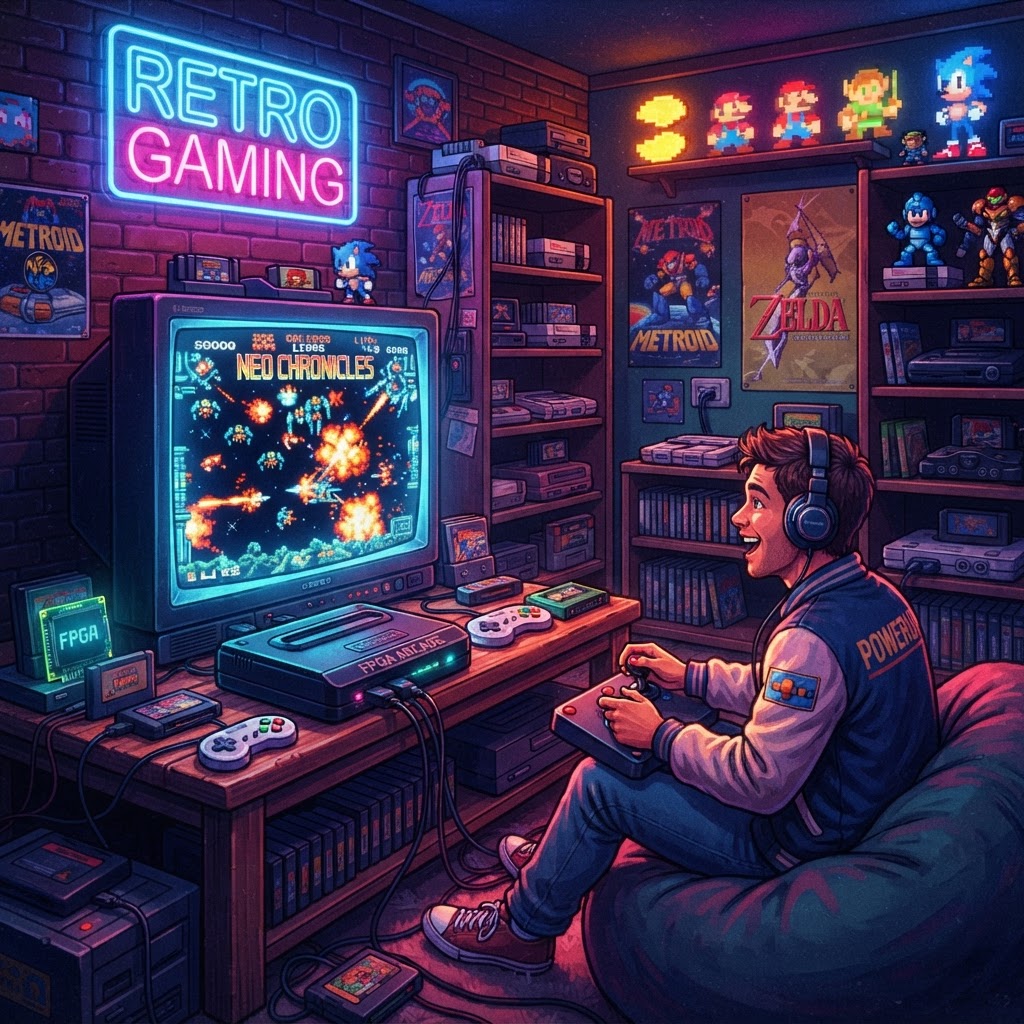
If you're building the ultimate retro gaming room, FPGA consoles might be the single most important investment you make — but most guides bury the real story under technical jargon. Here's everything you need to know, framed around the one use case that matters most: creating an authentic, dedicated retro gaming space you'll actually love.
What Is an FPGA Console, and Why Should You Care?
FPGA stands for Field-Programmable Gate Array — a chip that can be reconfigured at a hardware level to precisely replicate the behavior of classic gaming hardware. Unlike software emulation (which runs on a general-purpose CPU and guesses at how old chips behaved), an FPGA literally becomes the hardware it's mimicking, cycle by cycle.
The practical result? Zero input lag. Pixel-perfect accuracy. No audio glitches. For a retro gaming room where authenticity is the whole point, that distinction is enormous.
Popular FPGA devices like the MiSTer FPGA, Analogue Pocket, Analogue NT Mini Noir, and Super NT have earned near-legendary status among collectors. They're not cheap — prices range from around $200 to $500+ — but the question of whether they're worth it depends entirely on how you're using them.
FPGA vs. Software Emulation: The Honest Breakdown
Before spending serious money on an FPGA device for your gaming room, understand the actual differences:
Accuracy
Software emulators like RetroArch are remarkable achievements, but they interpret old hardware behavior through code. FPGA cores implement the hardware itself at a logic gate level. For most casual players, this difference is subtle. For purists? It's everything.
Input Lag
This is where FPGA shines brightest in a dedicated gaming room setup. CRT televisions had virtually zero lag. Modern TVs introduce processing delay that kills the feel of fast-paced games like Mega Man, Contra, or Street Fighter II. FPGA consoles typically output at 1–2ms lag, compared to the 80–150ms you might see from some software emulators on modern TVs.
Game Compatibility
FPGA cores aren't 100% complete for every system yet. The MiSTer FPGA project, for example, has excellent cores for SNES, Genesis, GBA, NES, and arcade systems — but compatibility for some edge-case titles varies. Original cartridges generally work flawlessly on dedicated FPGA devices like the Analogue Super NT.
Cost vs. Value
A software emulation setup on a $50 Raspberry Pi runs hundreds of systems. An FPGA setup for a single system might cost $200–$500. But in a dedicated retro gaming room, you're not optimizing for budget — you're optimizing for experience, aesthetics, and authenticity.
Building Your Retro Gaming Room Around FPGA: A Practical Setup Guide
Here's how to structure a room that makes FPGA consoles the centerpiece of a genuinely immersive experience.
1. Choose Your FPGA Anchor Device
Pick one or two FPGA platforms as your foundation:
- Analogue Pocket — Covers Game Boy, GBA, Game Gear, Neo Geo Pocket. Gorgeous handheld form factor.
- Analogue Super NT / Mega SG — Dedicated SNES and Genesis accuracy. Use original cartridges.
- MiSTer FPGA — The most versatile option. Covers 50+ systems via community cores. Requires some setup.
If you want the cleanest room aesthetic with minimal clutter, the Analogue line wins on design. If you want maximum system coverage from one box, MiSTer is unbeatable.
2. Display Matters as Much as the Console
Your FPGA console is only as good as the display it's connected to. Options:
- CRT television — The gold standard for pre-5th gen systems. Scanlines are built in, zero lag, zero upscaling needed.
- PVM/BVM monitors — Professional broadcast CRTs. Expensive but stunning.
- Modern 4K TV with low-lag mode — FPGA devices handle the upscaling cleanly, but enable Game Mode on your TV.
For a dedicated gaming room, a dual-display setup — one CRT for 8/16-bit systems and one modern 4K display for later consoles — is the enthusiast dream.
3. Desk and Ambient Setup
A retro gaming room lives or dies by its atmosphere. This is where aesthetics meet function. An RGB Retro Gaming Desk Setup Bundle can pull together the lighting, cable management, and visual cohesion that transforms a spare room into an actual gaming sanctuary. Think LED strips behind your display, controller holders on the desk, and organized shelf displays for your cartridge collection.
4. Display Your Collection Properly
One of the most underrated aspects of a dedicated retro gaming room is how you display your cartridges and hardware. A wall of clean, labeled cartridges is a visual statement. If you're refreshing older carts or filling gaps in your collection, Game Cartridge Labels & Stickers are a simple, affordable way to restore damaged cases or create a unified look across your shelf.
Don't overlook your FPGA device's appearance either — a Gaming Console Skin/Decal Wrap can make a sleek Analogue device match your room's color scheme perfectly, especially important when your console sits on open display.
5. Organize Your Handheld Station
If you're including the Analogue Pocket or a classic Game Boy in your setup, a dedicated handheld station keeps things tidy and display-ready. A Handheld Console Stand props your portable FPGA device upright between sessions — it looks great on a shelf, keeps the screen scratch-free, and charges cleanly if you wire it thoughtfully.
6. Maintain Your Original Cartridges
If you're using original carts with FPGA devices like the Analogue Super NT, you'll eventually encounter dead save batteries in older titles. Pokémon, Zelda: A Link to the Past, EarthBound — any game with internal save memory runs on a coin cell battery that dies after 10–20 years. Stocking Replacement Game Cartridge Save Batteries and learning the simple soldering process is essential maintenance for any serious retro gaming room.
7. Capture and Share Your Setup
A retro gaming room built around FPGA accuracy is content gold. If you're streaming or recording your setup — whether for YouTube, Twitch, or just personal archives — a Professional Capture Card for Retro Consoles is essential. FPGA output is clean and consistent, which means capture cards work beautifully without the signal issues that plague original hardware on older connections.
Are FPGA Consoles Worth the Price? The Verdict
For a casual living room gamer, a $50 Raspberry Pi running RetroArch is probably enough. But you're not here for casual.
For someone building a dedicated retro gaming room, FPGA consoles justify their price across every axis that matters:
- Accuracy — You're not approximating retro. You're playing it.
- Aesthetics — Premium hardware looks the part on an open display shelf.
- Longevity — No software dependency rot. Cores update, but the hardware is solid.
- Cartridge compatibility — Run your original carts without the degradation concerns of original aging hardware.
- Input feel — The reason you fell in love with these games in the first place is preserved perfectly.
The investment isn't just in a console — it's in an experience. When your FPGA Super NT boots Super Metroid with pixel-perfect accuracy on a PVM monitor surrounded by a clean, lit-up collection, you'll stop asking whether it was worth it.
Start Building Your Retro Gaming Room Today
The best retro gaming rooms are built in layers — start with your FPGA anchor device, build out your display setup, then refine the aesthetics. Every detail compounds. Whether you're starting from scratch or upgrading an existing setup, the gear you choose matters.
Ready to take the next step? Start pulling together your visual setup with an RGB Retro Gaming Desk Setup Bundle — the fastest way to give your retro gaming room a look that matches the quality of your FPGA hardware.



